



The Free Microsoft Office 2026 Alternative Every Young Canadian Professional Needs – Vancouver Mom


Every year, millions of young professionals across Canada open their browsers and search the same thing: Microsoft Word free download or MS Word download free. And it’s easy to understand why. In 2026, Microsoft 365 subscriptions remain one of the biggest “silent” expenses for freelancers, new graduates, and small business owners — and most don’t even realize how much they’re bleeding each year.
But here’s the good news: there’s a powerful, free alternative that 600 million people already use every month — and it could save you hundreds (or thousands) of dollars over the next decade.
Before we get into the details, click here to try WPS Office for free and see for yourself why it’s becoming the go-to office suite for young professionals in Canada and over 220 countries worldwide.
How Much Does Microsoft Office Actually Cost in 2026?
When Microsoft moved from one-time purchases to recurring subscriptions, it fundamentally changed the deal. Here’s what Canadians are paying right now:
| Plan | Monthly Price (CAD approx.) | Annual Price (CAD approx.) |
| Microsoft 365 Personal | ~$9.50/mo | ~$95/year |
| Microsoft 365 Family | ~$13.50/mo | ~$135/year |
| Microsoft 365 Business Basic | ~$8.10/user/mo | ~$97/user/year |
At first glance, $9.50 a month feels harmless. But let’s do the real math:
- Over 5 years, a Personal plan costs over $475 CAD.
- Over 10 years, you’ve spent nearly $950 CAD — for the same software, doing the same things.
- Running a small business with 5 employees on the Business plan? That’s more than $4,850 CAD in 10 years — just for Office licenses.
“And here’s what stings the most: if you stop paying, you lose access to your editable files. You’re not buying software — you’re renting it. Indefinitely.”
For a young professional in Canada just starting their career, that money could go toward professional development, equipment upgrades, or simply building a financial cushion.
The Hidden Costs Nobody Mentions
The subscription price is just the surface. There are deeper costs lurking underneath:
1. Ecosystem Lock-In After years of using OneDrive, Outlook, and Teams, switching to another solution feels impossible. That friction keeps you paying even when prices go up.
2. Forced Updates With Microsoft 365, you have zero say in when the interface changes. Some updates have broken macros and third-party add-ins without warning — a nightmare if you rely on custom workflows.
3. Increasing Hardware Requirements The latest versions of Office demand Windows 10 or 11 with active support. If you’re a student or young professional working on an older laptop, you simply can’t install the newest version. Meanwhile, WPS Office is incredibly lightweight at just 251MB and runs smoothly even on low-spec devices . That’s a fraction of the storage Microsoft Office demands.
Why Millions Still Search for Free Microsoft Word
Search trends in Canada show that terms like Microsoft Word free download and MS Word download free get millions of hits every month. The reason? People want a powerful word processor without the ongoing cost.
Many hunt for older versions like Office 2016 — the last edition you could buy with a one-time payment. But in 2026, that’s a dead end:
| Issue | Why It’s a Problem |
| End of Support | Microsoft ended mainstream support for Office 2016 in 2020; extended support ended October 2025 |
| Security Risks | “Free” download sites in 2026 are almost always unofficial, carrying real risks of malware and invalid licenses |
| Compatibility Gaps | Older versions struggle with modern .docx and .xlsx files created in newer Office versions |
“Searching for an outdated, unsupported version is no longer the answer. But that doesn’t mean you need to pay $9.50/month either.”
The real answer? A modern, free office suite built for exactly this moment.
Meet WPS Office: The Free Alternative 600 Million People Already Trust
If you’ve been searching for a Microsoft Word free download or MS Word download free, your search ends here.
WPS Office is a completely free, fully-featured office suite with total compatibility with Microsoft Office formats. It works on Windows, macOS, Linux, Android, and iOS — and it’s been trusted by professionals worldwide for 37 years.
Here’s what makes WPS Office stand out:
| What Sets WPS Apart | Details |
| Ultra-Lightweight | Only 251MB — runs smoothly even on budget laptops and older devices |
| Core Features Are Permanently Free | Full compatibility with .docx, .xlsx, .pptx — no subscription, no trial period, no tricks |
| 37-Year Track Record | Founded in 1988, now used in 220+ countries with 600 million monthly active users |
| AWS-Certified Security | Enterprise-grade privacy and data protection, certified by Amazon Web Services |
| True Cross-Platform | Seamless experience across desktop, mobile, and web — including Linux |
“WPS Office isn’t some scrappy newcomer. With a 37-year history and 600 million monthly active users across 220+ countries, it’s one of the most established and credible office suites on the planet. Learn more about their story at wps.com/about-us.”
Key Features That Make WPS Office Perfect for Young Canadian Professionals
Let’s dive into the features that matter most when you’re building your career, juggling side projects, or running a growing business.
1. All-in-One Office Solution
WPS integrates Writer, Spreadsheet, Presentation, and PDF tools into a single, streamlined interface . No need to switch between separate applications or pay for add-ons. Everything you need is right there:
| WPS Application | What It Replaces | File Compatibility |
| WPS Writer | Microsoft Word | .doc, .docx |
| WPS Spreadsheet | Microsoft Excel | .xls, .xlsx |
| WPS Presentation | Microsoft PowerPoint | .ppt, .pptx |
| WPS PDF | Adobe Acrobat |
Even though many users come to WPS Office because it’s lightweight and free, the suite offers strong compatibility with DOCX, PPTX, XLSX, and other Microsoft formats . Your colleagues and clients will never know the difference.
2. Real-Time Collaboration — Perfect for Group Projects and Team Work
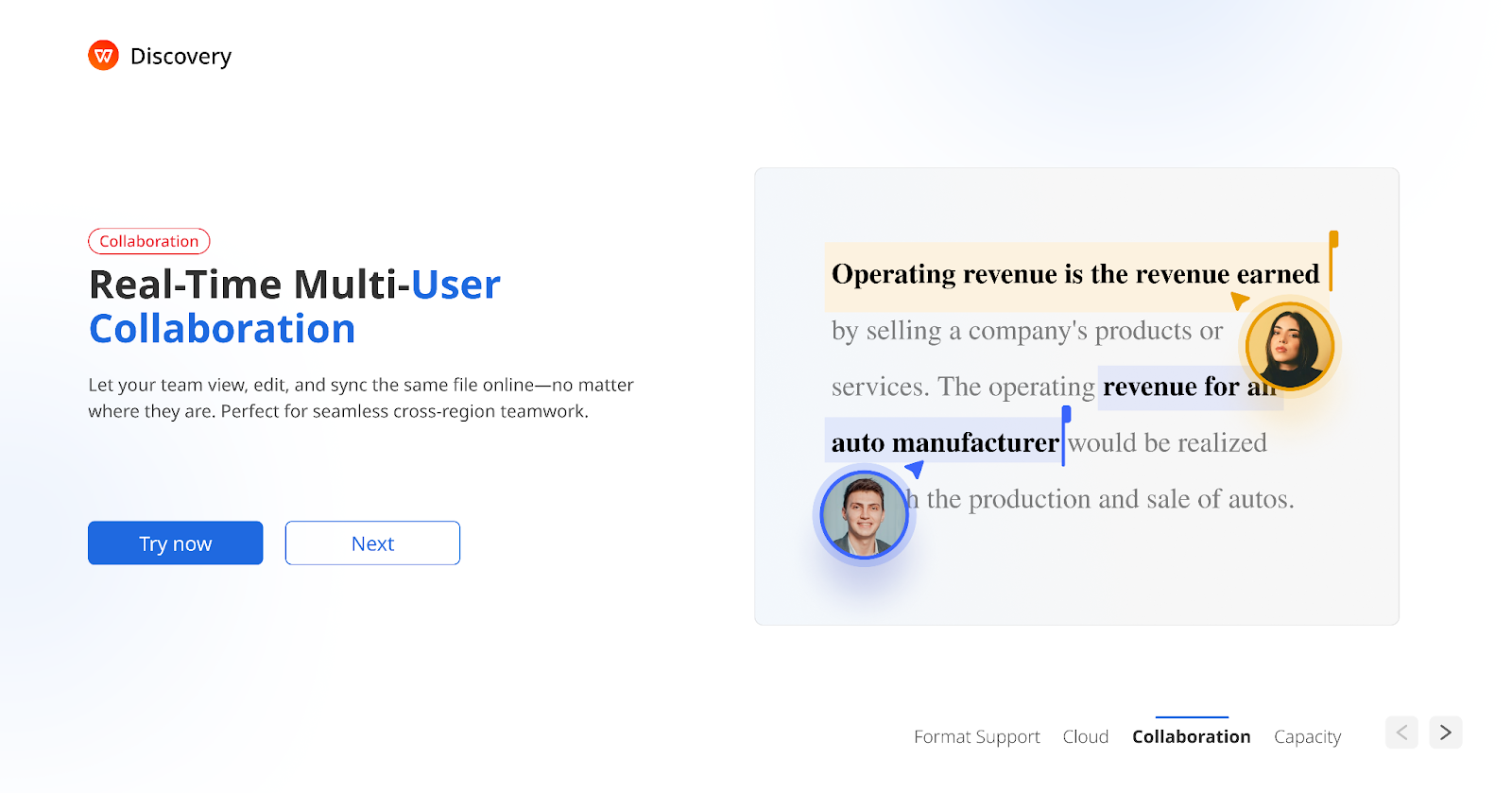
Whether you’re a student working on a group assignment or a young professional collaborating on a client proposal, real-time co-editing is essential.
With WPS Office, team members can:
- Co-edit Word documents simultaneously — no more emailing versions back and forth
- Polish PowerPoint slides together using WPS’s massive template library and AI-powered presentation tools
- Update Excel spreadsheets in real time — everyone sees changes instantly
“Picture this: Your study group has a presentation due tomorrow. Instead of merging five different files at midnight, everyone co-edits the same WPS Presentation in real time. It’s collaborative, it’s seamless, and it’s free.”
Simply upload your files to WPS Cloud storage, share the link, and collaborate from anywhere.
3. Multi-Device Sync — Your Office Goes Where You Go
Here’s a scenario every young Canadian professional has faced:
“You’re out grabbing coffee — or maybe you’re on the TTC — when suddenly a work task lands in your inbox. A contract needs your review. A spreadsheet needs a quick update. But your laptop? It’s sitting at home.”
No problem. WPS Office syncs your files across desktop, mobile, and web via secure cloud storage . Every file automatically updates in real time on every logged-in device. Start a document on your laptop, review it on your phone during your commute, and finalize it on your tablet at a café. It’s all seamless.

Users report that WPS Office allows easy access to various document formats, and the cloud storage capability ensures documents are safe and accessible from any device .
4. AI-Powered Office Suite — Work Smarter, Not Harder
While Microsoft charges extra for Copilot AI features, WPS AI is built right into the free suite . Here’s what it can do:
| WPS AI Feature | What It Does |
| AI Writer | Generate high-quality content quickly — emails, reports, cover letters |
| AI Slides | Create stunning presentations effortlessly from a simple prompt |
| AI Spell Check | Intelligent, context-aware spell and grammar checking |
| AI Parallel Translation | Compare translations side by side — perfect for Canada’s bilingual professionals |
| AI Chat with PDF | Ask questions and get insights directly from your PDF documents |
For young professionals juggling multiple responsibilities, WPS AI is like having a smart assistant built right into your workflow — at no extra cost.
5. Massive Template Library — Look Professional from Day One
First impressions matter — especially when you’re early in your career. WPS Office comes with a vast collection of free templates covering:
- Resumes and cover letters tailored for the Canadian job market
- Business proposals and reports
- Spreadsheet budgets and trackers
- Presentation decks for pitches, school projects, and client meetings
- Invoices, contracts, and more
No need to spend hours formatting from scratch. Pick a professional template, customize it, and you’re ready to impress.
Is WPS Office Safe? Absolutely.
Security matters — especially when you’re handling sensitive work documents, client files, or personal data. Here’s why you can trust WPS Office:
- Founded in 1988 by Kingsoft Corporation — a 37-year track record of development and reliability
- 600 million monthly active users across 220+ countries
- Available officially on the Microsoft Store, Apple App Store, and Google Play
- AWS Privacy and Security Certified — WPS uses Amazon Web Services infrastructure with enterprise-grade encryption to ensure your data is protected. Read the full AWS case study here.
“Unlike pirated Office downloads floating around the internet, WPS Office is legitimate, audited software — no malware, no invalid licenses, no risk. Your data stays yours.”
WPS Office vs. Microsoft 365: The Full Comparison
| Feature | Microsoft 365 | WPS Office (Free) |
| Monthly Cost | $9.50+ CAD | $0 |
| Installation Size | 2–4 GB | Only 251MB |
| .docx / .xlsx / .pptx Support | ✔ | ✔ |
| Works Offline | ✔ | ✔ |
| Mobile Version | ✔ | ✔ |
| Real-Time Collaboration | ✔ | ✔ |
| Multi-Device Sync | ✔ | ✔ |
| Built-in PDF Editor | ✔ (limited) | ✔ (full-featured) |
| Built-in AI Assistant | ✔ (Copilot — extra cost) | ✔ (WPS AI — included free) |
| Massive Template Library | Limited free options | ✔ Thousands of free templates |
| Available on Linux | X | ✔ |
| Requires Subscription | Yes | No |
| Years in Development | ~35 years | 37 years |
| Monthly Active Users | ~400M | 600 million |
When Does Microsoft 365 Still Make Sense?
Let’s be fair — there are specific cases where Microsoft 365 remains the better fit:
- Large corporate environments already built on Azure, SharePoint, and Teams
- Organizations with 50+ employees where deep Microsoft ecosystem integration is critical
- Advanced Excel power users relying on Power Query, Power Pivot, or real-time enterprise database connections
But for everyone else? For the 90% of young Canadian professionals — students, freelancers, startup founders, remote workers, small business owners — WPS Office covers everything you need, without costing you a cent.
How to Download WPS Office for Free (Takes Less Than 3 Minutes)
No credit card. No activation key. No catch.
- Step 1: Visit the official WPS Office website and click Download.
- Step 2: Select your operating system — Windows, macOS, Linux, Android, or iOS.
- Step 3: Run the installer. At only 251MB, it downloads and installs in minutes — even on slower connections.
- Step 4: Open WPS Office and start working immediately. No account required for core features.
- Step 5: Already have Word, Excel, or PowerPoint files? Just open them in WPS — they’ll load with all formatting perfectly intact .
The Bottom Line
If you’re a young professional in Canada still searching for a Microsoft Word free download or MS Word download free, stop overpaying for software you can get for free — legally, safely, and with zero compromises.
WPS Office gives you everything Microsoft Office does — Writer, Spreadsheet, Presentation, PDF tools, AI assistant, real-time collaboration, multi-device sync, and thousands of templates — in a 251MB package that costs exactly $0. It’s backed by a 37-year track record, trusted by 600 million users worldwide, and secured with AWS-certified data protection.
“Your career is just getting started. Spend your money on what actually moves the needle — not on renting a word processor.”
=> Download WPS Office for free right now and experience the difference for yourself.